
You are trying to log in to MyFoncia and the page remains blank, loops endlessly, or displays a 403 error. The problem does not always stem from your password. Several technical causes, often overlooked, block access to this client area used by millions of tenants and co-owners in France.
Why MyFoncia blocks: the three causes that the login form does not show you
The MyFoncia login page operates on a separate subdomain from the main Foncia site: my-foncia.fonciamillenium.net. This architecture creates situations where the Foncia portal responds normally while the client area refuses any authentication.
The first cause concerns the initial login ID. When creating the account, a temporary ID is assigned and then replaced by a permanent ID after email validation. If you enter the old ID, or if you type it in a format different from the expected one, the login fails without an explicit error message.
The second common cause: the email address registered in your client file has become outdated. You have changed your email account, but the MyFoncia account still points to the old one. Any recovery procedure then falls into a void.
The third cause, increasingly documented: your browser auto-fills with incorrect login data. Password managers sometimes save the temporary ID instead of the permanent one. The form automatically fills in with outdated information, and the user does not see the difference. Among the solutions to MyFoncia access bugs listed, manually checking the auto-filled fields is the quickest way to resolve this type of blockage.

Blank page and 403 error on MyFoncia: the role of extensions and VPN
You have the correct ID, the correct password, and yet the page does not load. Do you have an ad blocker active?
Extensions like anti-tracking tools, script blockers, or VPNs interfere with the loading of MyFoncia. The subdomain uses authentication scripts that these tools identify as trackers. Result: the page remains blank or returns a 403 code.
The quickest diagnosis does not involve clearing the entire browser cache. Simply open a private browsing window. This mode temporarily disables the cache, cookies, and extensions in one action.
- If MyFoncia works in private browsing, the problem comes from an extension or cached data. Disable your extensions one by one to identify the culprit.
- If the page remains inaccessible in private browsing, the problem is likely on the server side. Check a status tracking site like statut-services.fr to see if other users are reporting an outage.
- If you are using a VPN, try disabling it. Some VPN servers are blocked by the Foncia infrastructure, resulting in a 403 error without a visible explanation.
This elimination method takes less than two minutes. It avoids the classic reflex of resetting your password when the problem has nothing to do with the credentials.
MyFoncia bug on mobile: app or browser, two different diagnostics
On smartphones, access failures to MyFoncia follow a distinct logic. The mobile app and the mobile browser do not share the same caches or authentication mechanisms.
When the app crashes or freezes
An app crash is often related to an outdated version or a conflict with the operating system version. Force stopping the app and then clearing its cache (in the phone settings, not in the app itself) resolves most blockages.
If the problem persists, uninstall and then reinstall the app. This operation does not delete your account, only the corrupted local files.
When the mobile browser blocks the connection
On mobile browsers, the same causes as on computers apply: extensions embedded in the browser (Brave, Firefox Focus), enhanced protection mode, pre-filled form data. Test with the phone’s default browser, without any active blocking settings. Chrome on Android or Safari on iOS rarely has issues with MyFoncia.
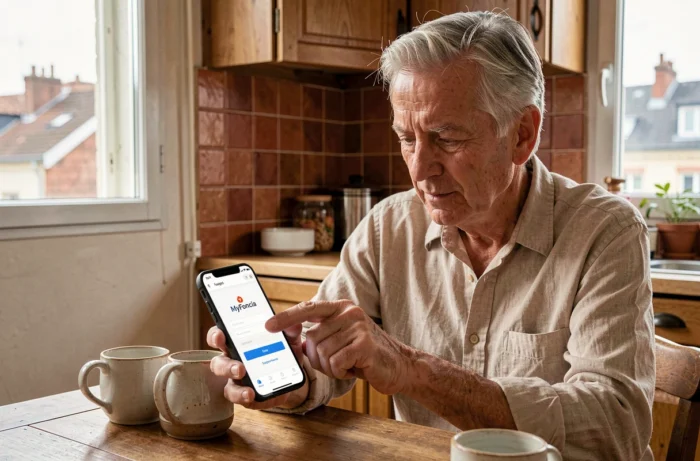
Recovering MyFoncia access blocked by an outdated email
This case deserves special attention because it cannot be resolved online. If the email address linked to your MyFoncia account no longer exists, the forgotten password procedure will never work: the reset link goes to an inaccessible inbox.
The only solution is to contact your Foncia agency directly to request the update of your email address in the client file. Once the email is corrected, you can restart the initial login procedure from the MyFoncia portal.
Prepare your account number or tenant reference before calling. Without this number, the agency cannot locate your file and the modification will take longer.
- Check your old Foncia correspondence (paper or digital) to find your client reference.
- If you are a co-owner, the reference appears on your quarterly fund calls.
- Tenants find it on their due notice or lease.
After updating the email, expect a variable delay depending on the agencies before receiving the new activation link. Follow up if you have not received anything after a few business days.
MyFoncia access bugs ultimately fall into two categories: those you can resolve on your own in a few minutes (cache, extensions, VPN, app) and those that require going through the agency (outdated email, lost initial ID). Testing in private browsing remains the first reflex to adopt to determine which category you fall into.